
 Kvs satish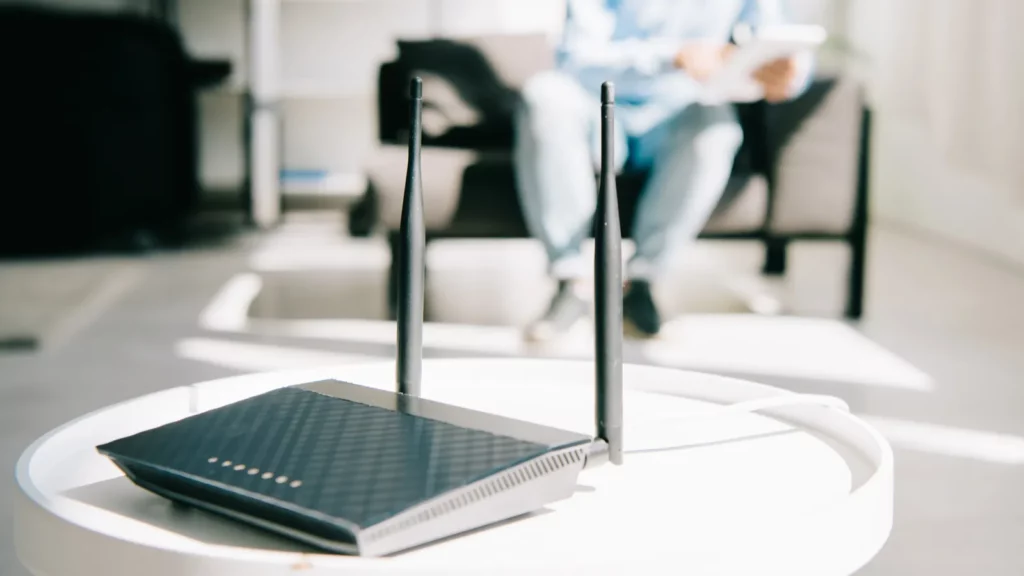
Smart homes promise convenience, automation, and control. What the brochures don’t mention is the hours you can lose just trying to get a device online, or the frustration of finding out your new home’s built-in lighting can’t be upgraded with your carefully chosen smart bulbs.
Over the past few months, I’ve been solving those exact challenges. I upgraded my network to Wi-Fi 7 for better device compatibility, found a way to work with integrated lighting in a rental, and started testing a batch of new products that could become part of my core setup.
If you’re looking for practical, real-world fixes for common smart home headaches not just tech specs, keep reading.
| Feature / Change | Purpose / Benefit | Key Takeaway |
| Wi-Fi 7 Router | Boosts speed, stability, and capacity | Handles multiple smart devices with less lag and better reliability. |
| Integrated Lighting Solution | Regains smart control of built-in fixtures | Smart switches and automation flows replace the need for smart bulbs. |
| Motion Sensor | Occupancy-based lighting and security alerts | Triggers lights only when rooms are in use, improving efficiency. |
| Vibration Sensor | Detects movement or tampering | Adds a layer of security for valuable or sensitive areas. |
| Water Leak Sensor | Early detection of leaks and floods | Linked to lighting automation for fast, visible warnings. |
| New Smart Devices | Testing performance, compatibility, and reliability | Helps identify next-gen gear worth integrating into the system. |
| Targeted Ads on Website | Offsets hosting and maintenance costs | Minimal, non-intrusive ads ensure the site stays free and sustainable. |
To kick things off, let’s start with the upgrade that made the biggest and fastest impact on my smart home setup.
Why I finally upgraded to Wi-Fi 7 and what it fixed instantly?
A major recent improvement in my smart home was upgrading to a Wi-Fi 7 Asus router. The decision came after persistent connectivity issues when setting up certain smart devices on a combined 2.4 GHz and 5 GHz network.
Some devices require a dedicated 2.4 GHz band during the initial setup phase. When both bands are merged, they may fail to connect properly, leading to frustrating and time-consuming troubleshooting.
With the new Wi-Fi 7 setup, my network is now segmented into:
- A merged 2.4, 5, and 6 GHz band for most devices, enabling efficient band steering.
- A dedicated 2.4 GHz band for devices that require it.
- A 5 GHz–only band for high-speed applications where latency and throughput are critical.
Since implementing this configuration, I have experienced:
- Stronger overall Wi-Fi coverage throughout the home.
- Faster speeds for bandwidth-heavy tasks.
- Fewer failed connections when onboarding new smart devices.
Wi-Fi 7 also provides future-proofing benefits. As more smart devices adopt 6 GHz support, my network is now ready to handle them without major reconfiguration.

With the network now stable and faster than ever, my next challenge was something entirely different, making my lighting work with my automation setup despite a big design limitation.
Integrated lighting killed my smart bulbs, here’s plan B
When I moved into my current residence, I brought along a collection of Zigbee and Wi-Fi smart bulbs from my previous home. These bulbs formed an integral part of my automation system, but I quickly discovered that my new home uses integrated ceiling lights.
Integrated lighting offers a sleek appearance and extended lifespan, but it comes with a limitation: the fixtures cannot be replaced with standard bulbs. This made my existing smart bulbs unusable in their intended role.
After exploring alternatives, I selected the IKEA JETSTRÖM pendant light. Before purchasing, I confirmed its compatibility with my Homie smart home platform. Compatibility checks are my first step when evaluating any new hardware, as Homie is the central automation hub in my system.
The installation location will be above the dining table. Since this property is a rental, drilling new holes in the ceiling or walls is restricted. Fortunately, there is an existing hook currently used for a wall clock, which can be repurposed for the pendant light. Checkout my video to get a deeper understanding:
Once lighting was sorted, I turned my attention to reusing some existing devices that could still bring value to my new home’s automation system.
Reusing old sensors to power a smarter, safer home
In addition to the new lighting, I have several smart sensors from my previous home that will be integrated into the current automation setup. These include:
- Motion sensor: Ideal for occupancy-based lighting control, ensuring lights switch on automatically when someone enters a room and off again when the space is empty.
- Vibration sensor: Useful for detecting subtle movement, potential tampering, or activity in specific areas such as cabinets or doors.
- Water leak sensor: Designed for early detection of leaks that could lead to flooding or water damage.
In my previous setup, the water leak sensor was linked to a lighting automation that immediately activated a connected light when a leak was detected. This simple visual cue served as an effective early warning system, even in situations where I might not have heard an alert or been near my phone.
Alongside reusing my own devices, I’ve also started exploring and testing new gear to see what’s worth adding to my ecosystem.
Unboxing and testing the latest smart home gear

Several new devices have recently arrived for evaluation. These products will be tested for functionality, performance, and compatibility with Homie or other supported platforms.
1. Anki Dual-Lens Smart AI Network Camera
Key features:
- Power over Ethernet (PoE) for reliable connectivity.
- Dual-lens design with 180° image stitching.
- Two-way audio and integrated strobe light.
- Human and vehicle detection capabilities.
- Weather-resistant design with water and dust protection.
- Local storage support for up to 512 GB.
2. Aqara Doorbell Camera Hub G410
Key features:
- Wide-angle 4:3 aspect ratio lens for comprehensive coverage.
- Wired or battery-powered operation.
- Local facial recognition and millimeter wave radar detection.
- Functions as a Zigbee hub and Thread-enabled Matter controller.
- Compatible with Apple Home, Google Home, SmartThings, and Amazon Alexa.
3. Linkind Emotion Max and Emotion Pro Smart Lights
Key features:
- Versatile smart lighting options.
- Supplied with a THS cable for flexible installation.
The primary testing focus will be on Homie integration. If native support is unavailable, I will evaluate compatibility within the Amazon ecosystem or through the manufacturer’s own applications.
Of course, running a smart home isn’t the only project I’m working on, keeping this site online and updated comes with its own set of challenges.
The truth about running a site like Automated Home
The Automated Home website will soon begin displaying carefully targeted advertisements on select pages. Since taking over the site nearly two years ago, I’ve kept it completely ad-free, focusing on delivering useful, distraction-free content. However, the ongoing costs of hosting, software licensing, and maintaining the platform have steadily increased.
Introducing a limited number of ads will help cover these expenses and keep the site sustainable, while ensuring it remains freely accessible to everyone. I’ll be managing ad placement carefully so it won’t disrupt your reading experience or clutter the pages. The aim is to strike a fair balance, keeping the lights on without compromising the quality, accessibility, or enjoyment of the content you’ve come to expect.
I genuinely appreciate your support as the site grows, and I’m committed to making sure these changes benefit the long-term future of Automated Home.
To wrap things up, here are a few quick answers to common questions readers have asked me recently.
Frequently asked questions (FAQS)
What was the challenge with integrated lighting in your new home?
Integrated lighting fixtures don’t allow for easy replacement with smart bulbs. This meant finding workarounds, such as automation flows and smart switches, to regain smart control.
Why is Automated Home introducing advertising now?
Hosting, licensing, and maintenance costs have grown steadily. Limited, carefully placed ads will help cover these expenses without disrupting the reader experience or affecting content availability.
Will ads affect the type or quality of the content?
No. Content will remain independent, and ads will be placed thoughtfully to maintain a clean, distraction-free reading experience.
And finally, if you just want the essentials, here’s a quick summary of what we’ve covered.
TL;DR
- Wi-Fi 7 has brought faster speeds and better stability, making the smart home more responsive and reliable.
- Integrated lighting challenges were solved with smart switches and automation flows, restoring full control.
- Existing sensors were reused effectively, continuing to provide safety alerts and automation triggers through Homie flows.
- New smart devices are being tested, helping identify the most reliable and compatible tools for the system.
- Automated Home will introduce limited ads to help cover operational costs while keeping content free.
- Quality and independence remain priorities, ensuring updates and tests stay useful and unbiased.
Related Articles:
This article was made with AI assistance and human editing.


